Contacts
The address book that builds itself
Every new message creates or updates a contact. If the same person writes from WhatsApp and from email, meruma notices and offers to merge the two records into one.
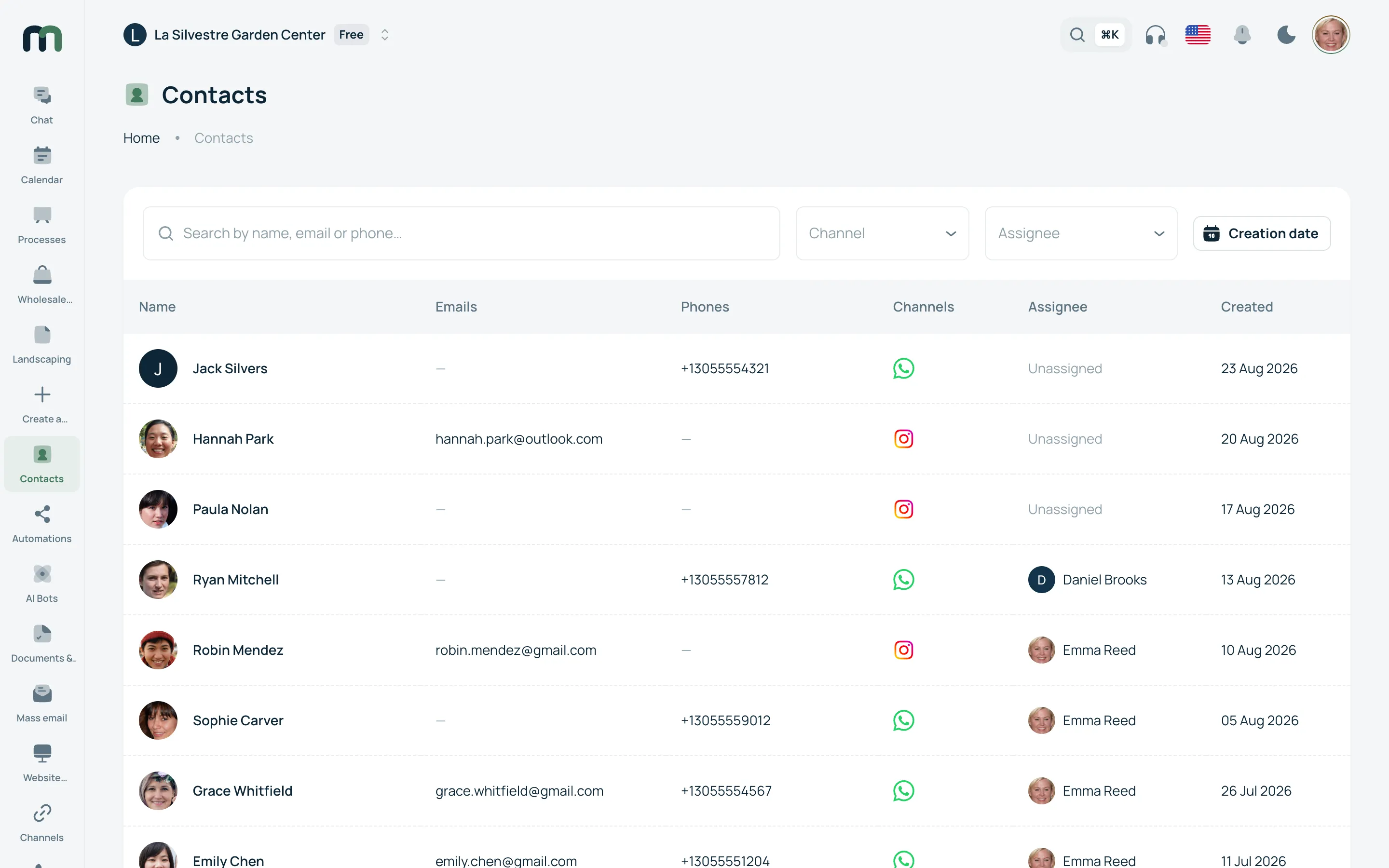
Contacts
What changes
-
One contact, even across five channels
Each channel leaves its own identity — a number, an email, an Instagram handle — and they all hang off the same contact. When two records look like the same person, meruma flags it and merges them without losing anything from either.
-
The fields your business needs
On top of the usual data you add your own: date, number, currency, option list, checkbox, file. You reorder them by dragging and they look the same for the whole team.
-
Everything that happened, in order
Messages, calls, team notes, signed documents, appointments and deals, all on one timeline. Whoever picks it up tomorrow understands in thirty seconds what came before.
What people usually ask
Can I bring the list I already have?
Yes. You import from a file and choose which column maps to which field, including your own. If a contact already exists it gets updated instead of duplicated.
What if two people share a phone number?
It happens more than you would think: couples, business partners, a house line. That is why meruma never merges two records on its own: it shows you both, marks what they have in common and lets you decide. If you merge by mistake, it can be undone.
Who can see and export contacts?
It depends on each user’s role, and who did what is recorded. The data belongs to your business: you export it whenever you like, on any plan, including if you decide to leave.